
Etsy Listing Optimization: Fix Views With No Sales (2026)
Etsy listing optimization for listings with views but no sales: diagnose reach, clicks and conversion in your Stats, then fix photos, price and copy in order.
Etsy marketplace consultancy for businesses in the USA and worldwide.
Can you bulk upload Etsy listings? What Etsy's tools allow, how to copy and bulk edit listings, when to use an app, and how to plan a batch that sells.
Part of: Etsy Listing Optimization: Fix Views With No Sales (2026)
In short: You can't bulk upload Etsy listings with a built-in spreadsheet importer, because Etsy doesn't offer one for new listings. The practical options are to copy an existing listing and change it, to connect a third-party app or print partner that creates listings through Etsy's official connection, and to use the bulk editing options on the Listings page in Shop Manager for changes across many listings at once. Plan each batch in a spreadsheet, test a few listings first, and remember each published listing costs $0.20.
Last updated: 17 November 2026. Checked against Etsy Help's article Can I Create or Edit Multiple Listings at Once?, How to Download Your Listing Information and Etsy's Fees & Payments Policy. Menu names in Shop Manager change from time to time.
Listing products one by one is fine for your first ten items. Once you sell print on demand, digital downloads or a product with many colour and size versions, it becomes the slowest part of running the shop. If you need to add or update dozens of listings without losing a week, this guide is for you. It explains what Etsy's own tools can and can't do, when an app is worth it, and how to keep a large batch accurate and easy to find in search.
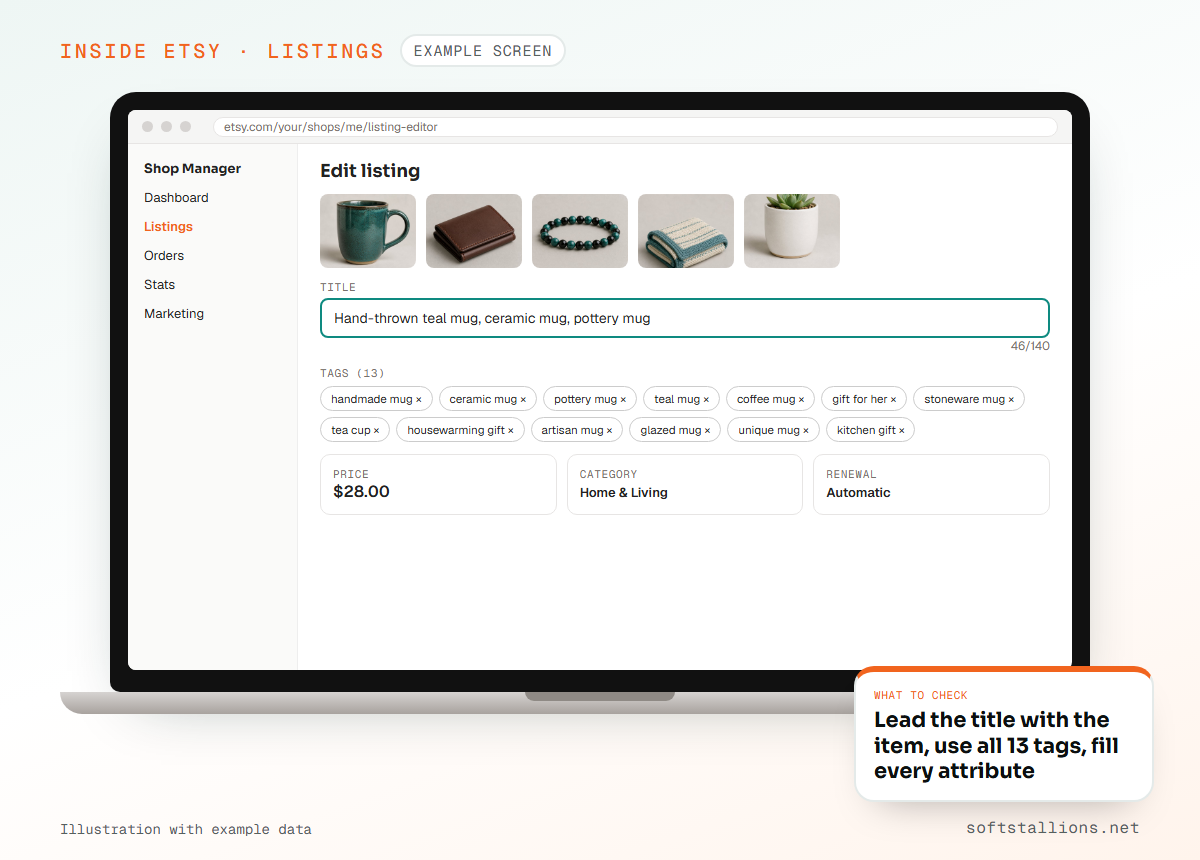
Not with Etsy's own tools. Etsy Help states that Etsy doesn't have a way to bulk upload new listings. You may read elsewhere about an "Etsy CSV upload" button. Etsy lets you download a CSV file of your active listings, but there is no matching upload that creates listings from a spreadsheet.
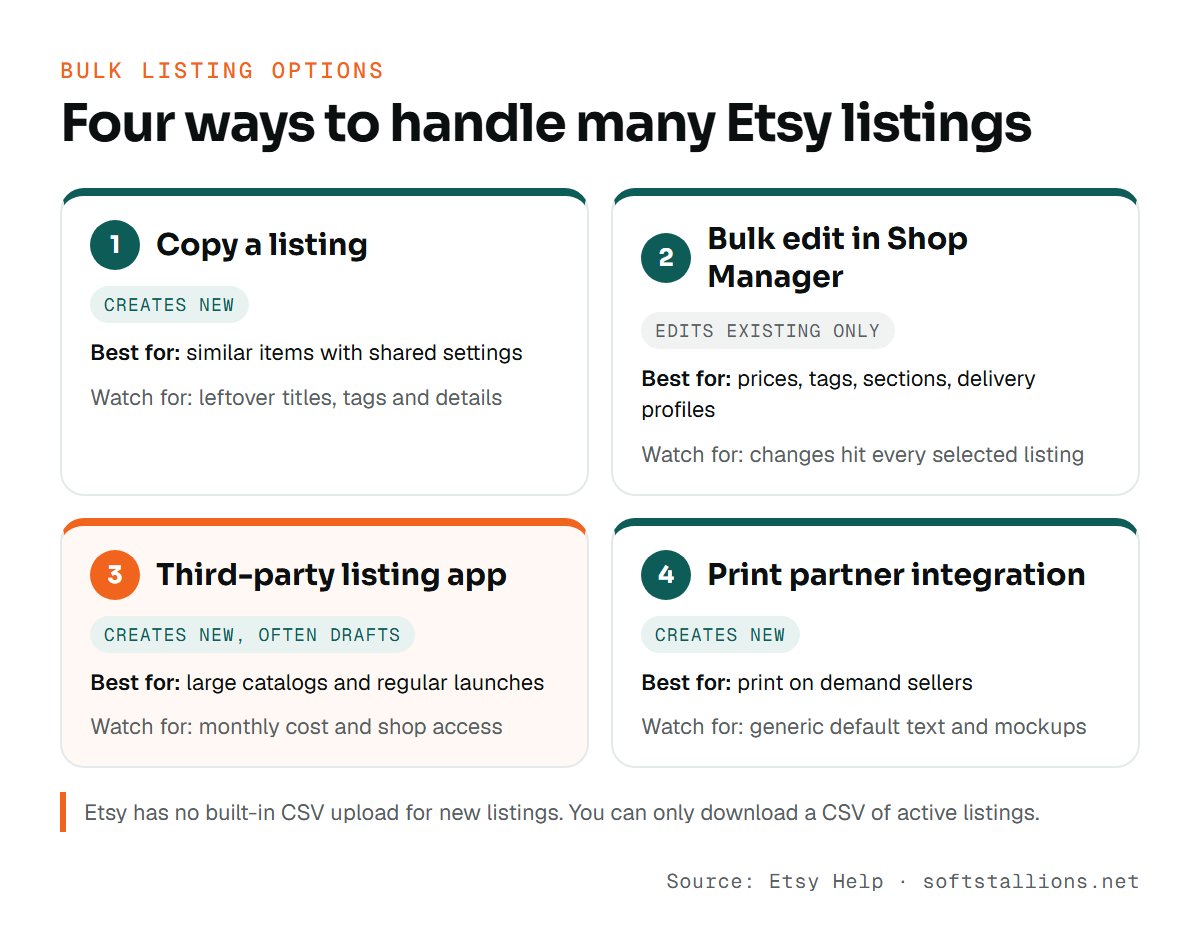
That leaves three real routes to adding many listings, plus one for changing them:
The right method depends on how many listings you add each month and how similar they are. Here's how the options compare.
| Method | Creates new listings? | Best for | Watch out for |
|---|---|---|---|
| Copy a listing | Yes, one at a time from a template | Similar items with the same settings | Duplicate titles and leftover details |
| Bulk edit in Shop Manager | No, edits existing listings | Prices, tags, sections, delivery profiles | Changes apply to every selected listing |
| Third-party listing app | Yes, often as drafts | Large catalogs, regular launches | Monthly cost, access to your shop data |
| Print partner integration | Yes, products pushed to Etsy | Print on demand sellers | Generic default text and mockups |
Most of our clients use a mix: copies or an app to create new listings, and Etsy's bulk editing to maintain them.
Copying is Etsy's own answer to bulk creation. A copy keeps the original listing's details, so you only change what's different. It works best when the items share a category, delivery profile, processing time and most attributes, such as a set of art prints in the same sizes.
The danger with copies is leftovers. A copied description that still mentions the old design's colour, or a tag that belonged to the original, confuses buyers and weakens search relevance. Give every copy its own title and tags.
For changes across listings that already exist, Etsy's built-in bulk editing is free and quick. According to Etsy Help, it covers fields such as titles, tags, descriptions, prices, personalization, production partners, renewal options, delivery profiles and shop sections.
Good uses for bulk editing include switching a group of listings to a new delivery profile, adding a seasonal tag to a collection, moving listings into a new section, or updating prices after your print partner changes its costs. Etsy doesn't charge a fee for editing listings.

Apps can create many listings at once, often from design files or a spreadsheet. They can save a lot of time, but you're giving software access to your shop. Check these points before you connect one:
If an app also writes titles and descriptions for you, treat that text as a first draft. Our guide to using AI for Etsy listings covers how to edit it and when Etsy requires an AI disclosure.
Whatever tool you use, the work that decides quality happens before upload. We plan every batch in a spreadsheet, one row per listing. A useful starting point is the CSV of your active listings, which you can download from Shop Manager, Settings, Options, Download Data. It includes titles, descriptions, prices, quantities, tags, materials and image links, so you can see how your current listings are built.
Your batch sheet should include these columns:
Name your photo files so they match the sheet, for example "botanical-print-03-main" and "botanical-print-03-room". That one habit prevents most mix-ups where the wrong image ends up on the wrong listing.
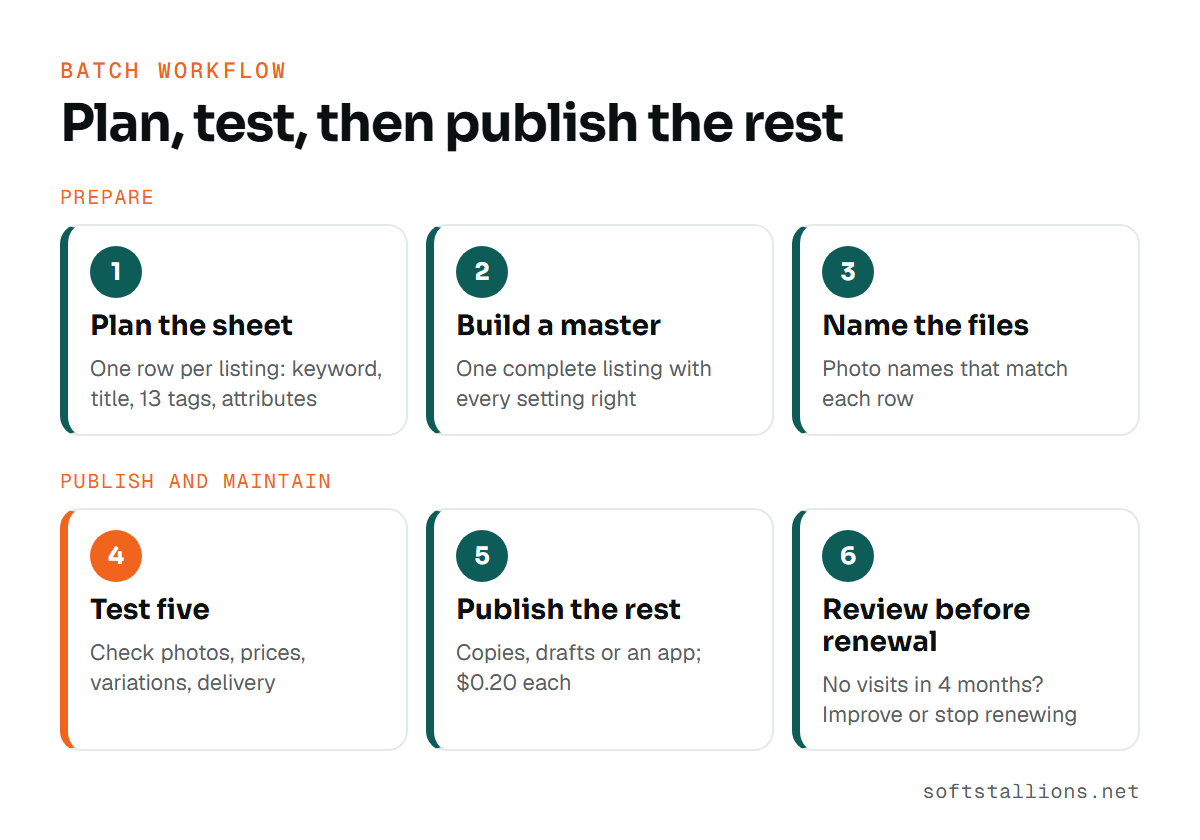
Etsy charges a listing fee of $0.20 for each listing you publish. A listing lasts four months, then renews for another $0.20 if auto-renew is on. Listings with more than one item in stock also renew for $0.20 each time one sells. Editing a listing is free.
| Listings published | Listing fees | If all auto-renew once |
|---|---|---|
| 10 | $2.00 | $4.00 over 8 months |
| 50 | $10.00 | $20.00 over 8 months |
| 100 | $20.00 | $40.00 over 8 months |
| 250 | $50.00 | $100.00 over 8 months |
Those amounts are small per listing, but they add up when a large batch has many listings that never get a view. Before a listing renews, check its Stats. If it has had no visits in four months, improve it or turn off its auto-renewal. The full list of charges is in our Etsy fees breakdown.
Bulk creation makes it tempting to reuse the same title, tags and description across a whole collection with one word changed. That wastes the main benefit of having many listings: each one can match a different search.
Our guide to choosing Etsy tags explains how to split shared and unique tags across a collection.

If you'd rather hand the batch over, our Etsy listing optimization service prepares and reviews listings at scale, and our print on demand service sets up partner integrations so products arrive in Etsy ready to sell.

No. Etsy lets you download a CSV of your active listings, but it doesn't offer a CSV upload for new listings. Some third-party apps accept spreadsheets and create the listings for you.
Use apps that ask you to approve access on Etsy's own permission screen, and never share your Etsy password. Review what data the app can see and how to disconnect it.
Yes. Etsy Help lists titles among the fields you can change for several listings at once from the Listings page in Shop Manager.
Etsy doesn't describe any penalty for publishing in batches. What matters is the quality of each listing: a clear title, relevant tags, complete attributes and good photos.
The $0.20 listing fee is charged when you publish a listing, so you can prepare drafts and publish them once they are ready.
Free consultation · USA & worldwide
We plan, write and publish Etsy listing batches with unique titles, full tags and the right settings on every item. You get a larger catalog without weeks of copy-and-paste.
Or see: Etsy listing optimization · Etsy print on demand · Etsy shop optimization · Etsy SEO services
Etsy listing optimization for listings with views but no sales: diagnose reach, clicks and conversion in your Stats, then fix photos, price and copy in order.
How to write an Etsy product description: a six-part structure, opening lines that sell, details by product type, required disclosures and safe AI drafting.
Etsy product photos that get clicks: Etsy's size rules, the first photo, an 8-photo listing set, when mockups are allowed and how to shoot products at home.