Seasonal Print on Demand Calendar for Etsy (2026-2027)
Seasonal print on demand calendar for Etsy: real 2026-2027 holiday dates, suggested listing lead times, last order date formula and product ideas.
Etsy marketplace consultancy for businesses in the USA and worldwide.
AI for Etsy sellers explained: what Etsy's Creativity Standards allow, how to disclose AI use, and a safe workflow for AI listings and print-ready designs.
In short: AI for Etsy sellers is allowed and useful, within Etsy's rules. Etsy's Creativity Standards let you sell AI creations you prompted yourself as "designed by a seller" items, as long as you say in the listing description that AI was used. You can't sell AI prompt bundles, and you stay responsible for copyright and trademarks. AI works best as a drafting and design assistant. You still choose the keywords, check every fact and add the human touch Etsy expects on every item.
Last updated: 27 October 2026. Rules checked against Etsy's Creativity Standards (updated 10 June 2025) and Etsy's Intellectual Property Policy.
Most Etsy sellers now use AI somewhere in their week, whether that's a chatbot drafting a description or an image generator sketching a new design. Used well, it saves hours. Used carelessly, it fills a shop with listings that sound like everyone else's, makes claims that aren't true, or puts the shop at risk over someone else's intellectual property. If you sell print on demand, digital downloads or handmade items and want the time savings without the problems, this guide is for you. You'll see what Etsy allows, what you must disclose and the workflow we use with clients.
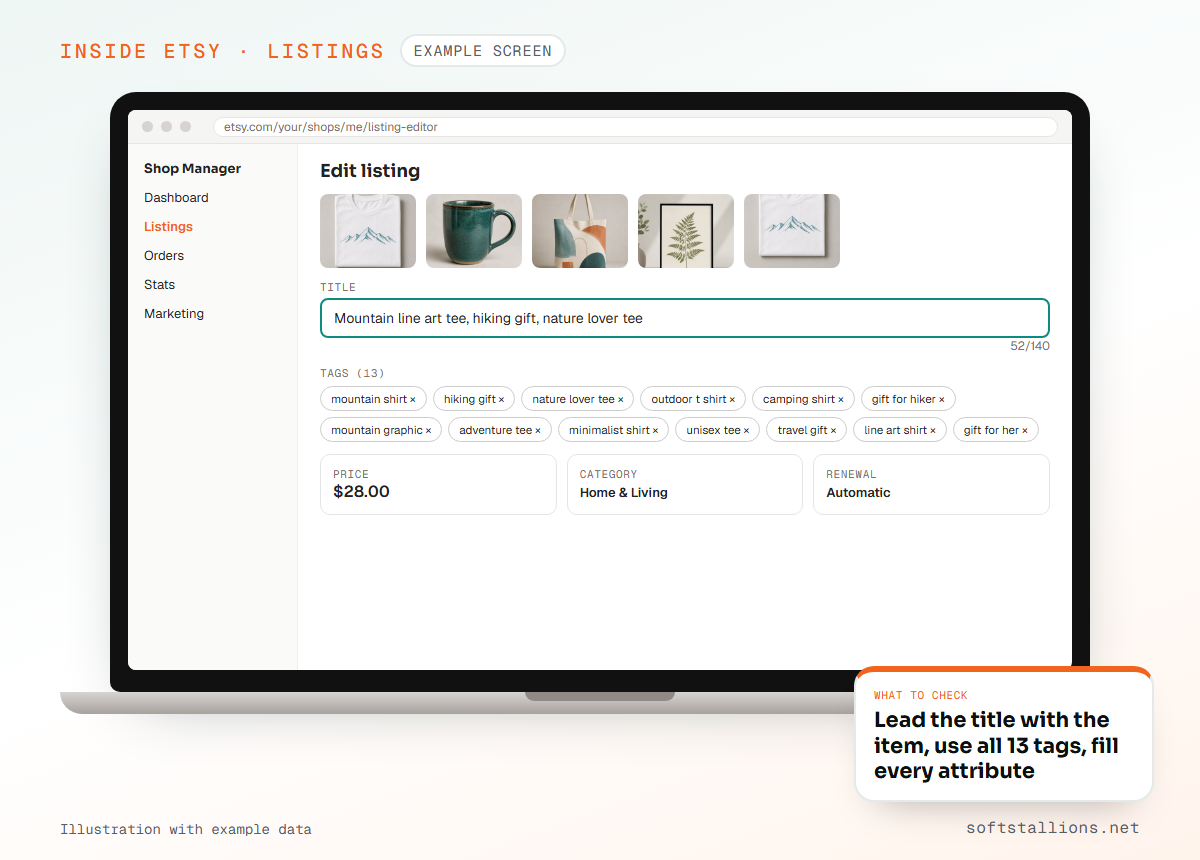
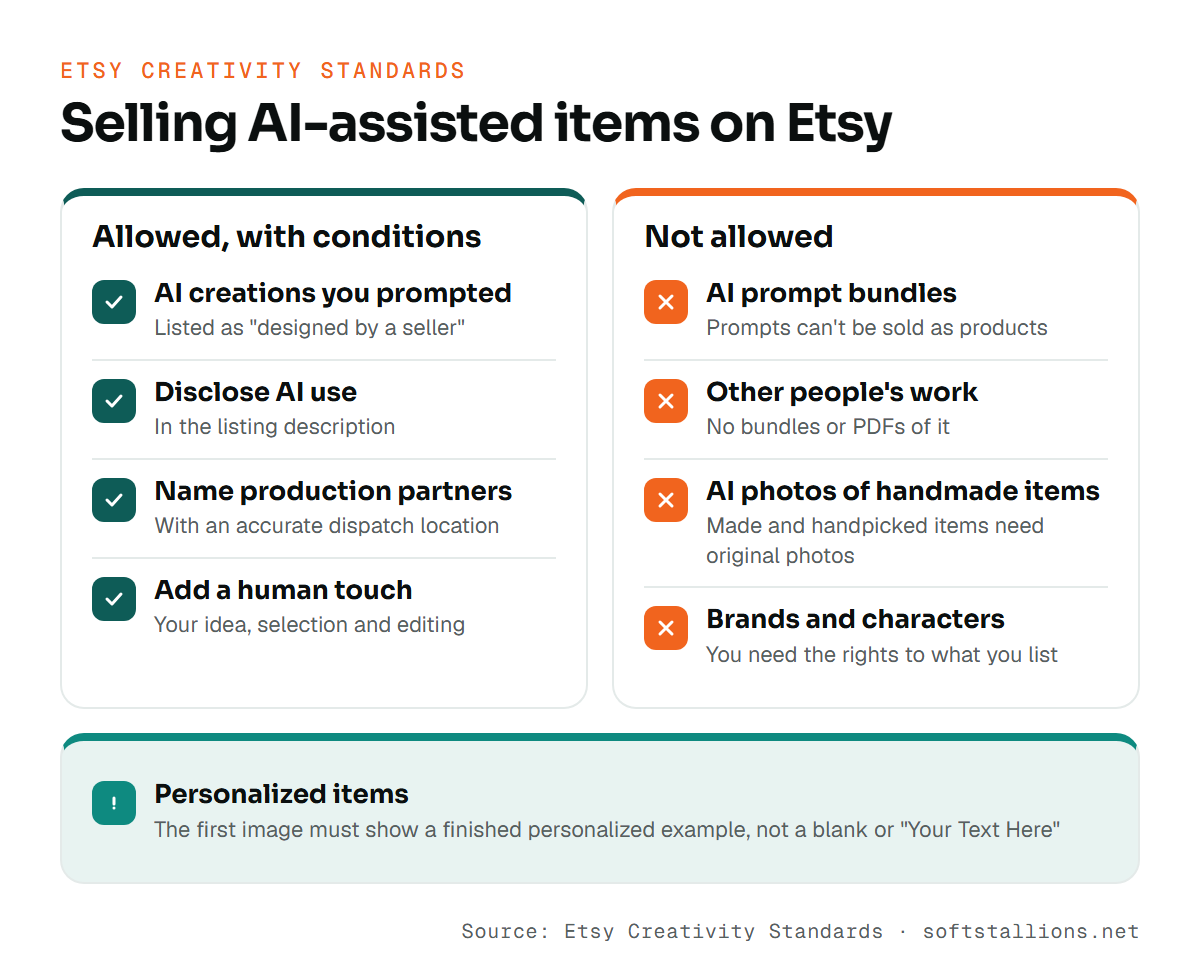
Yes. Etsy's Creativity Standards sort every item on Etsy into four groups: made by a seller, designed by a seller, handpicked by a seller and sourced by a seller. AI creations fall under designed by a seller. Etsy allows creations that you prompted with AI, along with original designs made by a production partner and digital downloads you designed.
Three conditions come with that permission:
The standards also say every item on Etsy needs a human touch. In practice, that means your own idea, your own prompting and selection, and your own editing. An unedited image from a random prompt, uploaded as-is, is a weak product and a weak fit for what Etsy is asking for.
The disclosure rule is short: if AI was used to create the item, say so in the listing description. Put it somewhere buyers will see it, such as a line in the product details section. Plain wording works best, for example: "This design was created by our studio using AI image tools, then edited and prepared for print by hand."
Disclosure usually comes paired with another rule in the same group. If a production partner prints or makes the item, you must name that partner in the listing and show an accurate dispatch location. So a print on demand mug with an AI-assisted design needs two disclosures: AI use in the description and the production partner in the listing settings.
| What you sell | Etsy group | What to disclose |
|---|---|---|
| AI-assisted design printed by a print partner | Designed by a seller | AI use in the description, plus the production partner and dispatch location |
| AI-assisted printable or digital download | Designed by a seller | AI use in the description |
| Handmade item where AI only helped you write the listing text | Made by a seller | The disclosure rule is written about AI creations. If you're unsure, a short note costs nothing |
| A pack of AI prompts | Not allowed | Don't list it |
If you're unsure which group an item belongs to, read the Creativity Standards page itself. Etsy updates it, and the wording there is what counts.
AI is strongest at tasks with a clear structure and a human check at the end. It's weakest at judgment: which buyer to serve, which keyword deserves the title, whether a design is good enough to sell. Here's how we split the work.
| Task | What AI does well | What you must check |
|---|---|---|
| Product ideas | Brainstorms angles, recipients and occasions | Whether real buyers search for it on Etsy |
| Titles | Drafts several versions from your keywords | That it leads with the buyer's search phrase |
| Descriptions | Turns notes into clear, skimmable sections | Sizes, materials, delivery and claims |
| Tags | Suggests related phrases you missed | Relevance, overlap and real search intent |
| Designs | Fast concepts and style variations | Originality, print quality and IP risk |
| Customer messages | Polite drafts for common questions | Tone and accuracy before you send |
See the pattern? AI produces options, and you make the decision. That split keeps your shop specific and accurate.
Generic AI copy comes from generic input. Ask for "an Etsy description for my cutting board" and you get the same soft phrases thousands of other listings use. The fix is simple: give the tool your product facts and your keyword choices before you ask it to write.
Write down everything a buyer needs: what the item is, size options, materials, personalization fields, who it's for, processing time and care instructions. Add the one or two things that make yours different from the top listings.
Use Etsy's search bar suggestions and the top listings to find the phrase buyers type. AI tools don't know Etsy's live search data, so keyword choice stays with you. Our guide to writing Etsy titles covers this step in detail.
A useful prompt looks like this: "Write 6 Etsy title options and a description for an engraved bamboo cutting board, personalized with a family name, in three sizes. Lead with 'personalized cutting board'. Audience: wedding and housewarming gift buyers. No exaggerated claims, no filler like 'perfect for any occasion'." Asking for several titles gives you a choice instead of one take-it-or-leave-it answer.
Cut vague adjectives, check every number against your notes and put the answers buyers need most (size, personalization, delivery) in the first lines. Read it out loud. If it could describe any shop's product, add detail only you know.
Attributes, category, shipping profile and production partner come from your shop settings and your product, so set them yourself. For the structure of a strong description, see our guide to Etsy product descriptions.
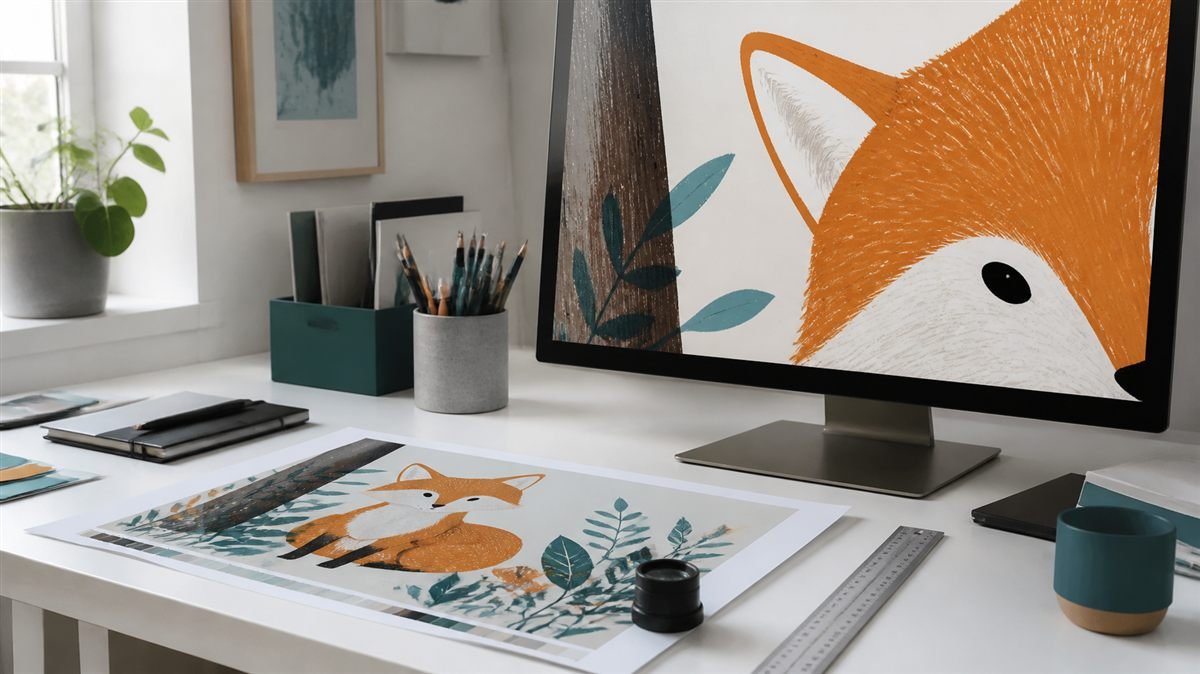
Start with the product and the buyer, then write the prompt. "Cute fox" gives you an image. "Single fox illustration for a toddler's nursery wall print, soft muted colours, plenty of empty space around the subject, no text" gives you a product asset with a job.
A prompt that works for products usually covers six parts:
Before any design goes on a product, check it at full size. Look for blurry or broken edges, misspelled or garbled lettering, odd hands and details, and background specks that show up on a transparent file. Confirm the resolution your print partner asks for, and view the design on a dark and a light product. Then edit it: adjust the colours, redraw a weak area, add your own lettering or combine it with your other artwork. That editing is part of the human touch, and it's what makes a collection look like one shop instead of a random feed.
It depends on what you sell. Etsy's Creativity Standards say that listings for items made by a seller and items handpicked by a seller, such as vintage, must use original photos of the actual item. An AI-generated photo of a handmade necklace you haven't photographed doesn't meet that rule.
For personalized items, the first image must show a finished personalized example, not a blank item or a "Your Text Here" placeholder. If you use AI to build a lifestyle background or a mockup scene for a print on demand or digital product, keep it truthful: colours, size and finish should match what the buyer will receive. A mockup that makes a poster look larger or brighter than it is leads to returns and poor reviews.
The biggest risk is intellectual property. Etsy's IP policy makes sellers responsible for having the rights to everything they list. Etsy removes listings reported for infringement, and repeat infringement can end your selling privileges. An AI tool generating the image doesn't move that responsibility away from you.
Etsy can't give legal advice, and neither can we. For trademark and copyright questions, our guide to trademarks and copyright on Etsy explains the basics, and a qualified professional can advise on specific designs.
Some uses break Etsy's rules outright. Others are allowed but hurt your shop. Avoid both.
That last one is worth a closer look. AI makes it easy to produce a lot, fast. A shop with fifty related designs for one clear buyer usually teaches you more than five hundred designs scattered across every topic.
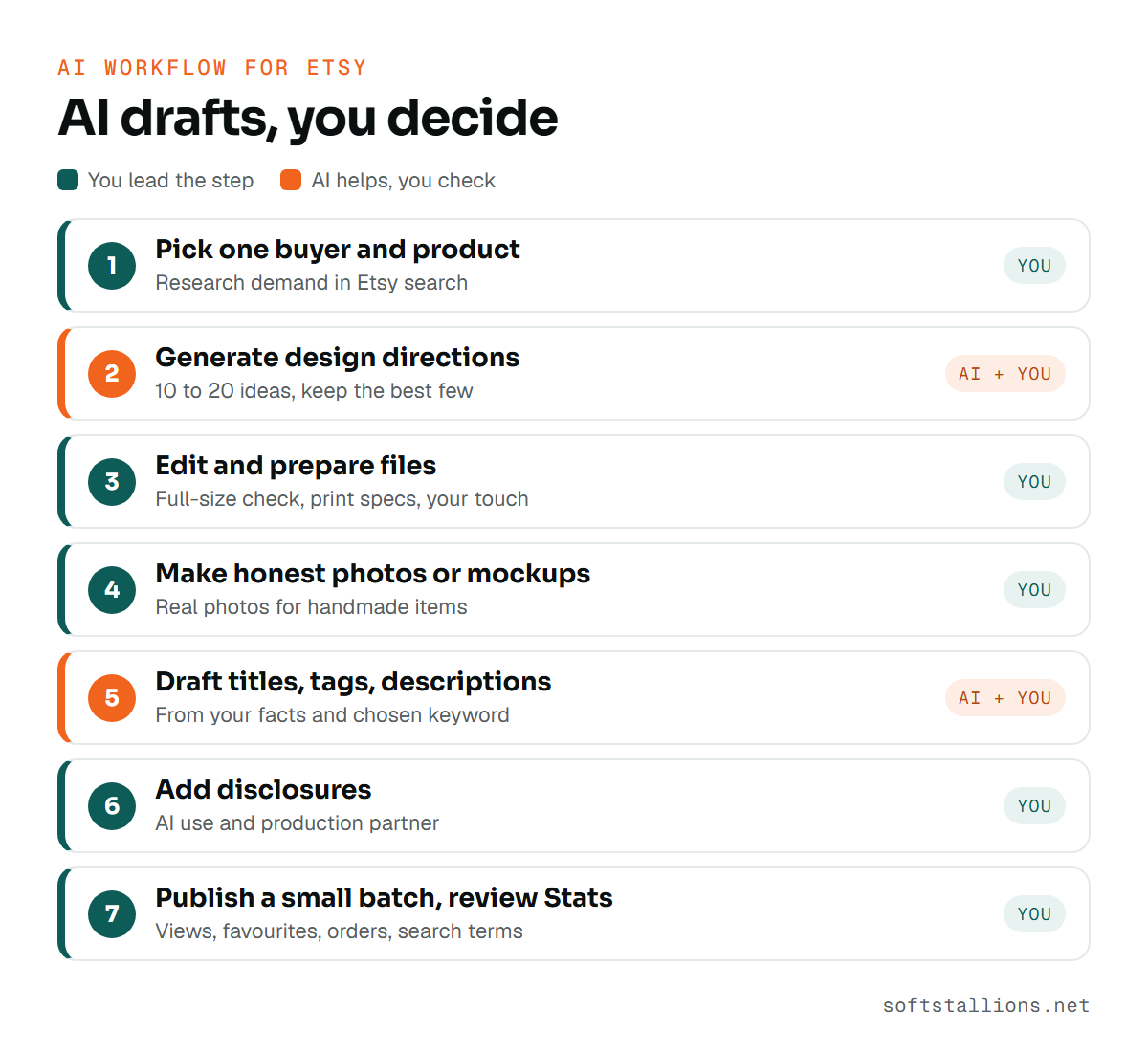
Keep the workflow simple and repeatable, with a human check at every step that touches a buyer. Here's the routine we set up for many of our clients:
Save your best prompts and your editing checklist in one document, so the quality doesn't depend on how tired you are. If you're building a print on demand or digital catalog this way, our Etsy print on demand service and digital products service can set it up with you, and our listing optimization service can review the copy before it goes live.

Yes. Etsy's Creativity Standards allow seller-prompted AI creations under "designed by a seller", provided you disclose AI use in the listing description.
Etsy's disclosure rule is written about items created with AI. You remain responsible for every word in the listing, so check that AI-drafted text is accurate. If you're unsure whether your use counts, adding a short note is the safe choice.
No. Etsy's Creativity Standards say AI prompt bundles are not allowed.
Not for handmade or vintage items, which need original photos of the actual item. For print on demand and digital products, AI-built mockup scenes can work if they show the product accurately.
It helps you draft titles, brainstorm tags and structure descriptions faster. It doesn't know Etsy's live search data, so check every keyword in Etsy search yourself. Our Etsy SEO service can do that research for you.
Free consultation · USA & worldwide
We set up AI-assisted design and listing workflows for Etsy shops, with the disclosures, IP checks and human edits built in. You get faster listings that still sound like your shop.
Or see: Etsy listing optimization · Etsy print on demand · Etsy digital products · Etsy SEO services
Seasonal print on demand calendar for Etsy: real 2026-2027 holiday dates, suggested listing lead times, last order date formula and product ideas.
Etsy Black Friday 2026 planning: a timeline from August to January, what to sell, how to price a discount, set up a sale and meet holiday shipping dates.
Our Etsy shop setup guide walks you through every screen: preferences, shop name, payments, setup fee, ID check, 2FA, storefront and first listings.